Krakov
 Krakov, Poljska
Real-Time Environment
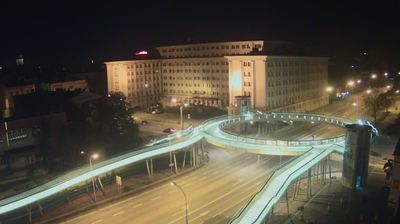
Welcome to the live streaming webcam for Krakov, perfectly situated in the vibrant region of Krakov, Poljska. Watching this live camera allows you to instantly experience the local atmosphere and monitor current climate conditions.

About Krakov
Krakov je eno najstarejših, drugo največje in z več vidikov tudi drugo najpomembnejše mesto na Poljskem ter glavno mesto Malopoljskega vojvodstva. Leži na jugu Poljske, 350 kilometrov južno od poljskega glavnega mesta Varšave ob reki Visli, nastal pa je okoli gradu Vavel. Do leta 1596 je bilo glavno mesto Poljske, nato pa je kralj Sigismund III. zaradi boljše geografske lege takratne Poljsko-Litovske federacije sedež glavnega mesta prestavil iz Krakova v Varšavo. Samo mesto ima okoli 800.000 prebivalcev, v metropolitanskem območju pa živi skoraj milijon in pol ljudi.
📖 Read more on Wikipedia📍 Location Facts
-
Country
 Poljska
- Region Malopoljsko vojvodstvo
- City Krakov
- Coordinates 50.0666°N, 19.9598°E
Have you been to Krakov?
Help the community! Share your experience, tell us about the weather, or upload your own photos from this exact location.